
The Ultimate Online Coaching Tech Stack for Personal Trainers in 2026
Hey friend! Let's get real. Running an online personal training business is amazing. You get to help people all over the world. But it can also be a little wild, right? You're wearing many hats. You're a coach, a marketer, a bookkeeper, and a tech wizard.
No wonder you sometimes feel overwhelmed! But guess what? You don't have to do it all alone. The secret to success in 2026 isn't just working harder. It's working smarter. And that means having the right tools in your toolbox.
Think of your tech stack as your superhero squad. Each tool has a special power. Together, they make your business unstoppable. This guide will show you the ultimate tech stack. It's built for personal trainers like YOU. It's designed for 2026. It will make your life easier and your business stronger.
Why Does Your Tech Stack Matter So Much?
You might be thinking, "Do I really need all these fancy tools?" Yes, you do! Here's why:

- Save Time: Automated tasks mean more time for coaching or relaxing.
- Look Professional: Sleek systems impress clients. They trust you more.
- Stay Organized: No more lost emails or missed payments. Everything is in one place.
- Grow Your Business: Smart tools help you reach more people. They also help you make more money.
- Improve Client Results: Better tools mean better communication and tracking. This helps your clients succeed.
Let's dive into the categories of tools you need. We'll give you a step-by-step framework for each.
Category 1: The Core – All-in-One Coaching Platforms
This is the heart of your online business. It's where you manage clients, deliver programs, and often handle payments. In 2026, these platforms are smarter than ever. They often have AI features built in. This makes your job a breeze.
Our Top Pick: Trainerize (or similar like TrueCoach, My PT Hub)
Why it's essential: Trainerize is a powerhouse. It lets you create custom workouts. You can track progress. You can communicate with clients. It's designed specifically for fitness professionals. Other great options are TrueCoach and My PT Hub.
Step-by-Step Framework for Using Your Core Platform:
- Client Onboarding Automation:
Set up welcome emails and forms within Trainerize. When a new client signs up, they get a custom welcome sequence. They fill out their health forms automatically. You save so much time!
- Action: Create a new client welcome sequence. Include a welcome video. Add a link to your intake forms.
- Pro Tip: Use the platform's automation rules. When a client completes their intake, tag them as "Ready to Program."
- Program Design & Delivery:
Build a library of exercises. Create workout templates. Assign programs with a few clicks. Clients get their workouts on their phone. They can track reps, sets, and lift weights. You see all their data in real-time.
- Action: Build 5-10 foundational workout templates for different goals (e.g., strength, fat loss, beginner).
- Action: Record short video demonstrations for common exercises. Upload them to your exercise library.
- Progress Tracking & Analytics:
Your platform tracks everything. Client adherence, body metrics, strength gains. Use this data to show clients their progress. It keeps them motivated! You can also adjust programs based on what you see.
- Action: Schedule weekly or bi-weekly check-ins. Review client stats during these calls.
- Action: Set up automated alerts. Get notified if a client misses too many workouts.
- Client Communication Hub:
Most platforms have a built-in messenger. Clients can ask questions. You can give feedback. Keep all your client conversations in one place. It's much better than texting or emailing back and forth.
- Action: Set clear communication boundaries in your welcome packet (e.g., "I respond within 24 hours Monday-Friday").
- Action: Utilize group messaging for challenges or general announcements.
Category 2: Seamless Communication & Engagement
Keeping in touch with clients is super important. It builds trust. It helps them stick with their goals. In 2026, you need more than just text messages. You need tools that make communication engaging and easy.
Our Top Pick: Zoom (or Google Meet) for Video Calls & Loom for Asynchronous Video
Why it's essential: Face-to-face (even virtual) interaction is powerful. Zoom is great for live coaching calls. Loom is amazing for quick video feedback. You can record your screen and voice. Send short videos to clients to explain exercises or give feedback on their form.
Step-by-Step Framework for Communication Tools:
- Live Coaching Calls & Check-ins:
Schedule your weekly or bi-weekly coaching calls using Zoom. Have a clear agenda. Use the screen-sharing feature to review their progress on your core platform.
- Action: Integrate Zoom with your scheduling tool (we'll cover that next!). Automate meeting links.
- Action: Keep a simple template for call agendas. This ensures you cover all important points.
- Personalized Video Feedback (Loom):
Imagine a client sends you a video of their squat. Instead of typing a long message, you record a Loom video. You show them exactly what to fix! This is a game-changer for form correction and motivation.
- Action: Set up a free Loom account. Practice recording short videos.
- Action: Encourage clients to send you videos for feedback. Make it part of their weekly check-in.
- Community Building (Optional but Recommended: Facebook Group or Discord):
A private online group can be amazing. Clients can support each other. You can share extra tips. It builds a strong community around your brand.
- Action: Create a private Facebook group just for your paying clients.
- Action: Post a daily question or tip. Encourage interaction.
Category 3: Business Automation & Admin Relief
This is where you truly unlock your time! Automated tasks mean less stress. It means more focus on what matters most: your clients. We're talking about scheduling, payments, and email.
Our Top Pick for Scheduling: Acuity Scheduling (or Calendly, PracticeBetter)
Why it's essential: No more back-and-forth emails trying to find a time! Clients book their calls directly. Acuity (or Calendly) syncs with your calendar. It sends reminders. It even collects payments for single sessions.
Our Top Pick for Payments: Stripe (or PayPal, within your Core Platform)
Why it's essential: You need a safe and easy way for clients to pay you. Stripe is powerful and secure. Many core coaching platforms have payment processing built in. This is often the easiest option.
Our Top Pick for Email Marketing: ConvertKit (or Mailchimp, ActiveCampaign)
Why it's essential: Email is how you build relationships. It's how you share value. It's how you tell people about new programs. This tool helps you create beautiful emails and send them to many people.
Want to dive deeper into email marketing? Check out our Email Marketing for Personal Trainers guide!
Step-by-Step Framework for Business Automation:
- Client Scheduling Mastered:
Set up your availability in Acuity. Create different appointment types (e.g., "Discovery Call," "Weekly Check-in"). Share your link with clients. They book, and everything is handled automatically.
- Action: Connect Acuity to your Google Calendar. This stops double bookings.
- Action: Customize reminder emails (e.g., 24 hours before, 1 hour before).
- Effortless Payment Processing:
Integrate Stripe with your coaching platform or your website. Offer different payment plans (monthly, quarterly, full pay). Make it super easy for clients to pay you. For more on pricing, read our guide on How to Price Personal Training.
- Action: Set up recurring invoices for your coaching packages.
- Action: Ensure clear billing terms are laid out before payment.
- Smart Email Sequences:
Use ConvertKit to send welcome sequences to new leads. Share valuable content with your list. Announce new programs. Build trust and authority through consistent, high-quality emails.
- Action: Create a short "Welcome Series" for new subscribers (3-5 emails over a week).
- Action: Plan a monthly newsletter to share tips, client success stories, and offers.
Category 4: Marketing & Client Attraction
You can be the best coach in the world. But if no one knows about you, it's tough to grow. These tools help you get noticed. They help you attract your ideal clients.
Our Top Pick for Website/Landing Pages: WordPress with Elementor (or Squarespace/Webflow)
Why it's essential: Your website is your online home. It's where potential clients learn about you. It's where they sign up. You need it to look good and be easy to use. WordPress with Elementor gives you tons of power and flexibility without needing to be a coding guru. Squarespace is easier but less flexible.
Our Top Pick for Social Media Management: Later (or Hootsuite, Buffer)
Why it's essential: Social media is where many of your future clients hang out. You need to post consistently. Later lets you schedule posts across platforms. It saves you so much time!
Building your online presence is key. Check out our guide on How to Get Personal Training Clients for more awesome strategies!
Step-by-Step Framework for Marketing Tools:
- Professional Online Presence:
Design a clear, compelling website. It should showcase your expertise. It should explain your services. It needs a clear call to action (e.g., "Book a Free Discovery Call").
- Action: Create a compelling "About Me" page. Share your story.
- Action: Have dedicated service pages for each coaching offer.
- Action: Make sure your website is mobile-friendly.
- Consistent Social Media Strategy:
Plan your content ahead of time with Later. Schedule your posts for Instagram, Facebook, and TikTok. Be consistent. Share valuable tips, client transformations, and behind-the-scenes glimpses.
- Action: Brainstorm 3-5 content pillars (e.g., workouts, nutrition tips, mindset, client wins).
- Action: Schedule at least 3-5 posts per week using your social media scheduler.
- Lead Magnets & Opt-ins:
Offer something valuable for free (like a 5-day meal plan or a beginner workout guide). This helps you collect email addresses. You can then nurture these leads with your email marketing tool.
- Action: Create a simple PDF guide as your first lead magnet.
- Action: Add sign-up forms for your lead magnet to your website and social media profiles.
The "GoCoach Goldmine" Approach: Integrating Your Tech Stack
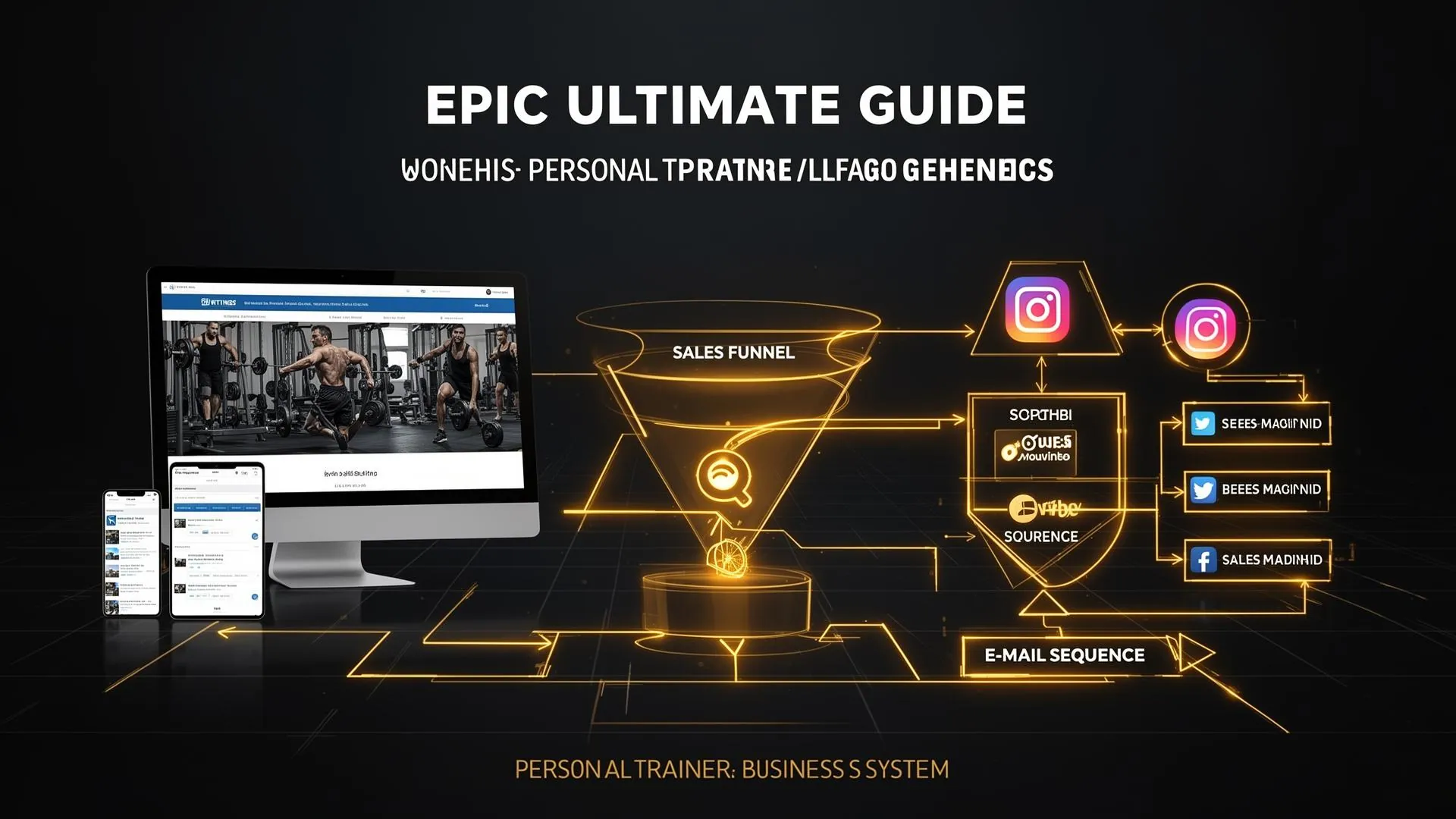
This isn't just a list of tools. It's about how they work together! Imagine a goldmine where everything is connected and flowing smoothly. That's what we aim for with the GoCoach Goldmine approach.
Here's how your ultimate tech stack creates a seamless experience:
- Client Discovery: Someone finds you on social media (managed by Later). They click your link to your website (WordPress).
- Lead Capture: On your website, they download your free guide (lead magnet). Their email goes straight into ConvertKit.
- Nurture Sequence: ConvertKit sends them a series of valuable emails. They learn more about you. They see your expertise.
- Discovery Call: They decide they want to talk. They book a free discovery call through Acuity. Acuity sends them a Zoom link.
- Onboarding & Payment: After the call, they sign up! You send them the link to your coaching package. Payments are processed via Stripe or within Trainerize. They are automatically added as a client in Trainerize.
- Coaching Journey: They get their personalized workouts in Trainerize. You track their progress. You give feedback via Loom videos. You have live check-ins via Zoom.
- Testimonials & Referrals: As they get amazing results, you ask for a testimonial. Later, they might refer a friend who starts the whole process again!
See? It's a smooth, interconnected system. No more dropped balls. No more forgotten tasks. Just efficiency and growth.
Looking Ahead to 2026: AI Integration
By 2026, AI won't just be a buzzword. It will be deeply integrated into many of these tools. Expect:
- Smarter Program Design: AI helping you create personalized plans even faster.
- Automated Client Check-ins: AI assisting with initial responses to client questions.
- Content Creation: AI generating social media captions or blog post ideas for you.
- Predictive Analytics: AI highlighting clients who might be struggling before they even tell you.
Stay open to these advancements! They will make your business even more powerful.
Your Next Steps: Building Your GoCoach Goldmine
Don't get overwhelmed by all these tools. Start small. Pick one or two areas to improve first.
Actionable Checklist:
- Evaluate Your Current Stack: What tools are you using now? What's working? What's not?
- Identify Your Biggest Pain Point: Is it scheduling? Client management? Marketing? Start by investing in a tool that solves your biggest problem.
- Start with the Core: If you don't have a good all-in-one coaching platform, start there (e.g., Trainerize).
- Learn One Tool at a Time: Don't try to implement everything at once. Master one tool, then move to the next.
- Invest in Learning: Many of these tools have great tutorials. Take the time to learn how to use them well.
“The first step towards getting somewhere is to decide you’re not going to stay where you are.” – J.P. Morgan
Building an amazing online coaching business in 2026 means being smart with your setup. You've got this, coach! By embracing these tools, you'll free up your time, serve your clients better, and build the thriving business you dream of.
Ready to supercharge your systems and operations?
If you're serious about creating an efficient and profitable online coaching business using these exact strategies and more, check out the Exercise Professionals Academy at TrainSpace. Specifically, our GoCoach Goldmine course dives deep into making these systems work for you.
Want to start building your own online coaching website today? Get started with our Free Coaching Website offer!